Booking engine and CRM
One booking. Zero legwork. How a booked call becomes a confirmed meeting, and how one CRM keeps every client, email and meeting in one place.
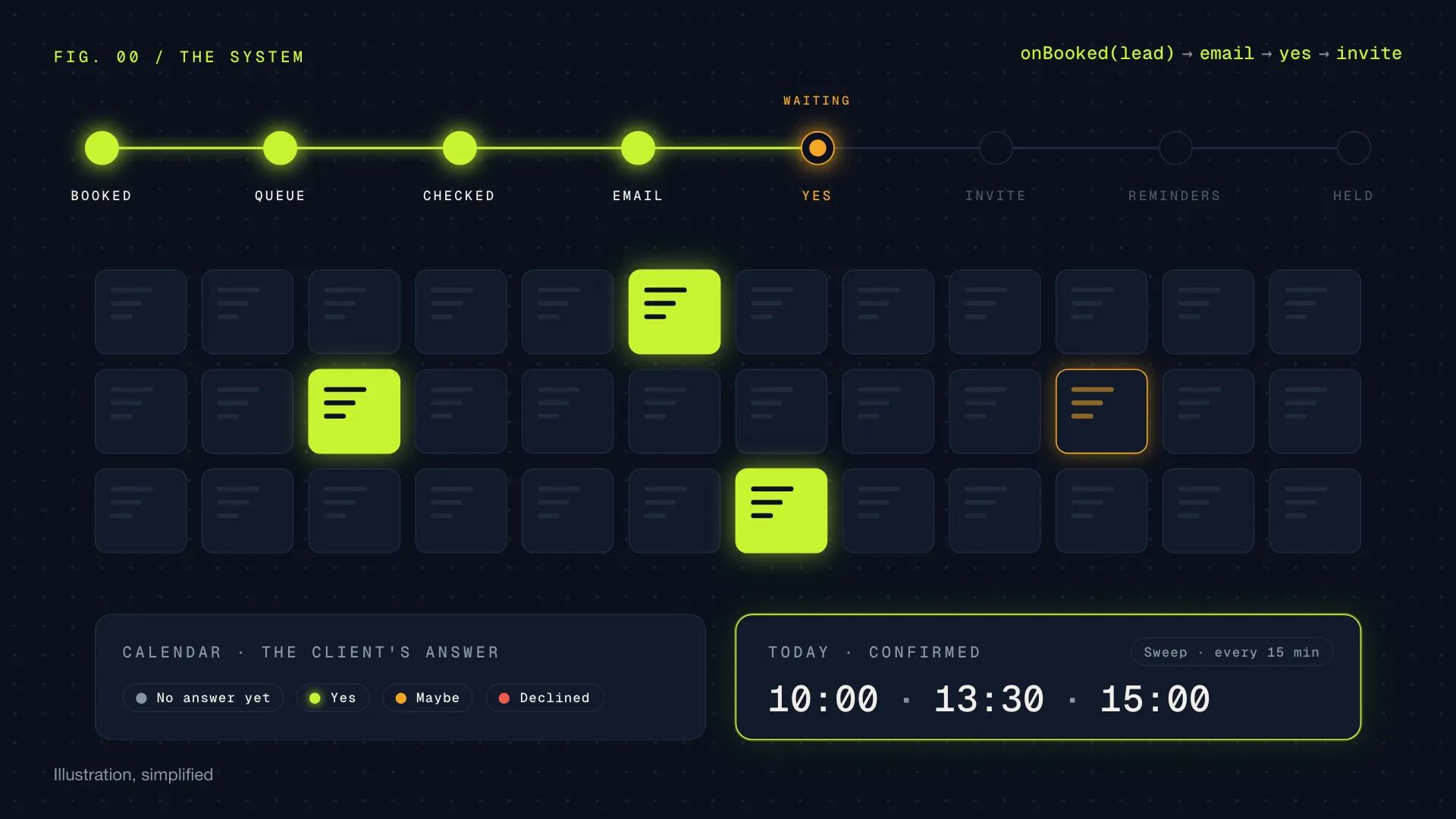
In sales, the meeting is the prize, and everything around it is legwork: the confirmation email, the calendar invite, the reminder, the “did they say yes?”, the double booking nobody noticed. Every one of those steps is small. Together they eat the afternoon.
So I built a system that hands that legwork to code. A seller books a meeting in our dialer, and from that second the system takes over. It checks the booking, emails the client from the seller’s own mailbox, waits for a yes, sends exactly one calendar invitation, reminds at the right moments, and afterwards knows whether the meeting actually happened. A CRM on top shows all of it in one place.
It ran our sales team’s meetings in October and November 2026 and was retired on 17 November 2026, when the team moved to a new CRM. Here is how it worked, piece by piece.
The map
Four kinds of things talk to each other. The dialer is where sellers call and book. Cloudflare runs my two programs: the booking engine and the CRM. Google Workspace sends the emails, holds the calendars and knows which video calls took place. And the client, who only ever sees an email, a booking page, a calendar invitation and an SMS.
Both programs are Cloudflare Workers: small pieces of code that run in Cloudflare’s data centres close to whoever calls them, with no server of our own to keep alive. The booking engine is the one that does things. The CRM is deliberately thin. It has no database of its own, so there is only one truth and two screens can never disagree.
The life of a booking
Here is what happens after a seller presses “booked”. The seller does nothing more. Every step below is code.
Two details matter more than they look. The email comes from the seller, not from a no-reply address, so a client’s reply lands in a real inbox. And the calendar invitation waits for the yes, so the client’s calendar isn’t filled with a meeting they haven’t agreed to.
Calendar colours that mean the same thing for everyone
Every meeting in the seller’s calendar takes the colour of the client’s answer, and the engine keeps them in line every 15 minutes:
- Grey: no answer yet
- Green: the client said yes
- Orange: maybe
- Red: declined
One assistant per booking
Imagine giving every single meeting its own personal assistant. The assistant knows only that one meeting, keeps its own notes and has an alarm clock set for the next thing to do: “nudge at 13:00”, “send the invite at 09:00 tomorrow”. When nothing is due, the assistant sleeps and costs nothing.
That is what Cloudflare calls a Durable Object, and the booking engine makes one per booking. Because each object handles one thing at a time, two events can never trip over each other: a client’s yes and a seller’s move of the same meeting arrive in order, never at once.
Behind the objects sits a safety net: a sweep every 15 minutes that re-reads upcoming meetings from the dialer, notices a meeting moved or cancelled there, keeps the calendar colours right and catches anything that slipped. A nightly job tidies up.
One invitation per client
Nothing looks worse to a buyer than two invitations for the same meeting. So before the first email, and again before the calendar invitation, a guard looks in three places: the calendars of the seller and the booker, our own other bookings for the same lead, and the dialer for a meeting that was never taken in.
The building blocks, in plain words
Cloudflare gives you a box of parts. Each one does one job well, and the booking engine uses nine of them.
The CRM: one place for everything
The CRM is where the team worked. It wore the same dark, calm look the clients saw on their booking pages, and it was built around one question for every seller: what should I do next?
Every conversation with a client sat next to the meeting it belonged to, so a seller never had to dig through a mailbox to know where things stood. And every change made in the CRM, such as moving a meeting, was done by the engine and logged with the name of the person who asked for it.
A booking link for clients
The last piece turned the process around. Each seller could get a personal link to send to a client, who then picked a time on their own. It looked like a calendar: tap a day, tap a time. The free times came straight from the seller’s real calendar, and the page never showed what the busy times were.
Switches, gates and a way back
A system that emails clients on its own has to be easy to stop. Every new feature shipped switched off, and turning it on was a deliberate step. Some switches could be flipped in seconds without a deploy, and one of them stopped all sending at once.
Behind the panel: deploys only happened through one workflow that ran every test first, close to 2,400 of them at the end, and recorded a database restore point. Each timer wrote a heartbeat, and a health page turned red if anything went quiet. Keys and passwords lived in Cloudflare’s secret store, never in the code.
My take
The meeting is the prize. Everything around it is legwork, and legwork is what code is for.
A seller’s best hour is spent talking to a client, not chasing a yes or fixing a double booking. This system took the repeatable, exact, easy to forget parts and did them the same way every time, from the seller’s own mailbox, in the client’s own calendar, with one place to see it all.
What I’d keep from it for any future build:
- Give every booking its own small worker. One object per meeting removed a whole class of race conditions without any locking code.
- One truth, many screens. A thin CRM on top of one engine meant nothing ever drifted out of sync.
- Ship it off, turn it on later. Building every feature behind a switch made it safe to move fast with real clients on the other end.
- When in doubt, ask a human. The guard holds and asks instead of guessing.
Built with Cloudflare Workers, Durable Objects, D1, Queues, KV, R2, TypeScript, React and the Google Workspace APIs, with Claude as my pair programmer. The code is internal and stays that way.
All illustrations were made for this page. Companies, people and booking codes in them are invented.